

The sales and financial management system for your business.
A smarter way to manage your business. Sales, inventory, purchasing, customers, suppliers and accounting, in one system.
No credit card. No contract. Multi-currency.
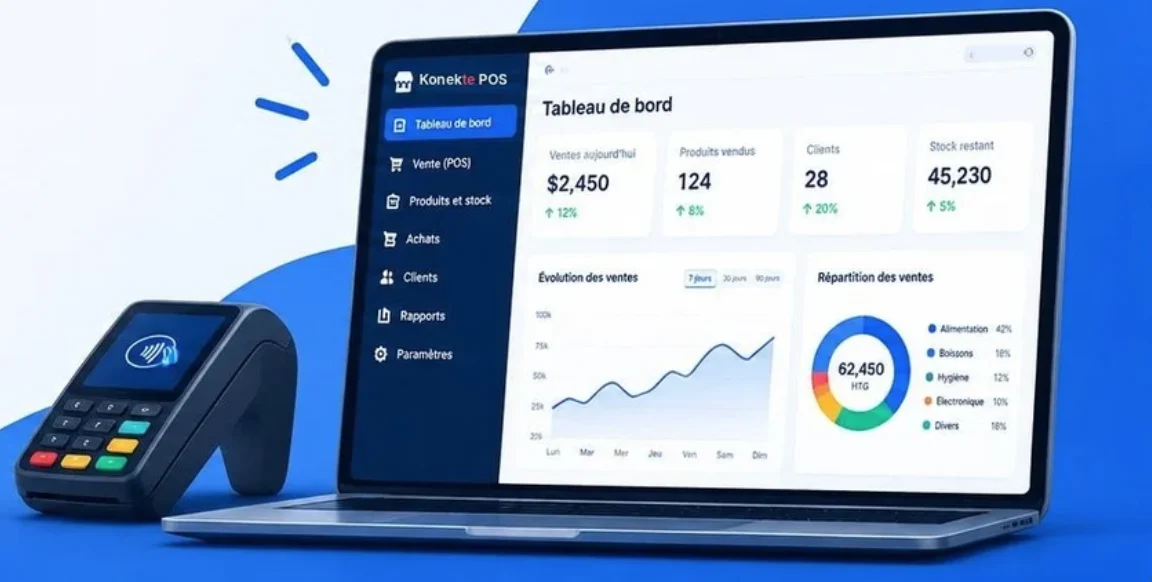
Easily generate unique barcodes for your products, right inside Konekte POS. No need to pay a professional to create your barcodes.

The 6 essential questions every owner asks, answered every day.
Konekte POS does more than sell. Every sale, purchase, expense and payment updates your numbers on its own.
By day, register, cashier and product, in any currency.
Stock purchases, supplier bills and business expenses.
Calculated with the real cost of goods sold, using FIFO or LIFO.
Credit sales, partial payments and each customer balance.
Open bills, due dates and payments made.
Cash, mobile wallets and bank accounts, with exchange gains and losses.
The owner sees everything, from anywhere
With Admin access, the owner or general manager follows sales, cash, stock and the business finances live, from a computer or tablet, wherever they are. No need to ask anyone for reports.
Real double-entry accounting behind every sale
From the Basic plan on, every transaction creates balanced debit and credit entries, linked to the original sale, purchase or payment.
Move from Basic to Standard, then to Premium, and lose nothing. Your full accounting history is already there.
- The $100 sale is recorded.
- Product stock goes down.
- The product cost ($60) moves to cost of goods sold.
- The entries land in the journal with no typing.
| Account | Debit | Credit |
|---|---|---|
| Cash | 100.00 | |
| Sales | 100.00 | |
| Cost of goods sold | 60.00 | |
| Inventory | 60.00 | |
| Balanced total | 160.00 | 160.00 |
Sold on credit? Accounts receivable is debited instead of Cash, and the customer balance updates.
For businesses that want to grow
At sign-up, you pick your business type. Konekte POS sets up the right categories, register screen and chart of accounts.
Shops, convenience stores, small depots, clothing, cosmetics.
Supermarkets, hardware stores, pharmacies, distributors, electronics.
Store groups and depots that want centralized financial control.
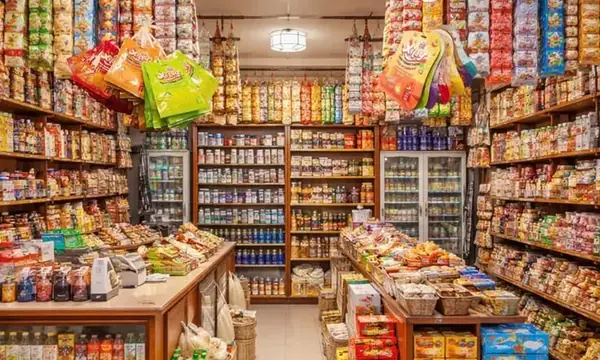
Fast scan checkout, real-time stock, low-stock alerts.
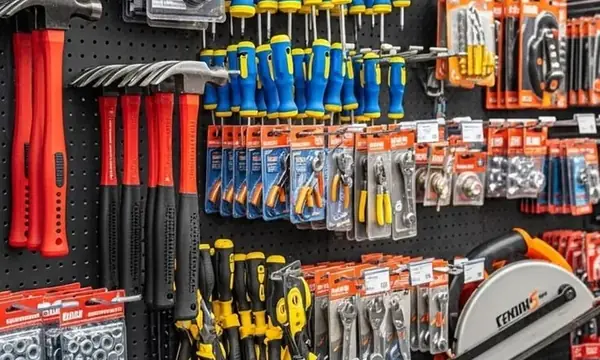
Thousands of items, units and packs, internal codes and labels.
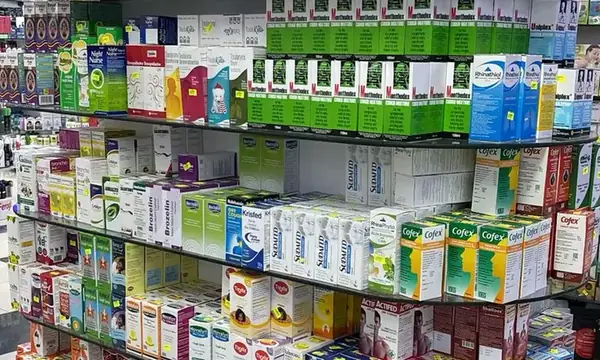
Lots, expiry dates, yellow and red alerts.
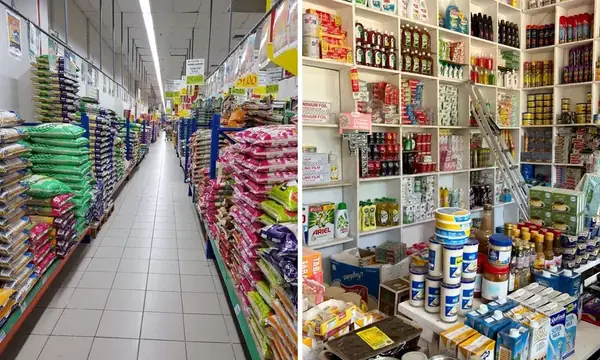
Wholesale and retail, cases and units, customer credit, supplier purchases.
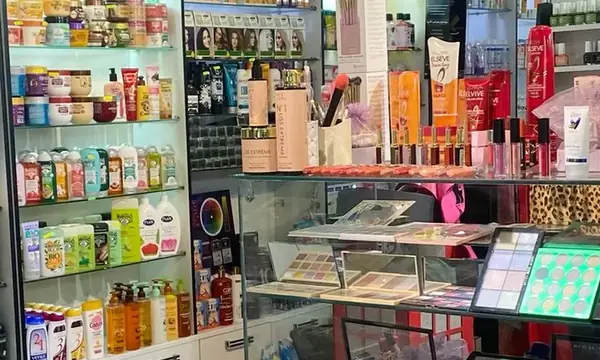
Clothing, cosmetics, phones: product photos and receipts with your logo.

Floor plan, kitchen screen, split bills, tips.

Services and products on the same receipt.
 Coming soon
Rooms, check-in, and bar or restaurant charges posted to the room.
See Konekte POS at work, step by step
The real Konekte POS screen, explained out loud. Click a chapter to jump straight to it.
- 0:00Set up your business and register
- 1:30Receive a purchase: stock goes up
- 3:00Sell with the phone as a scanner
- 4:30See the journal entry and the daily report
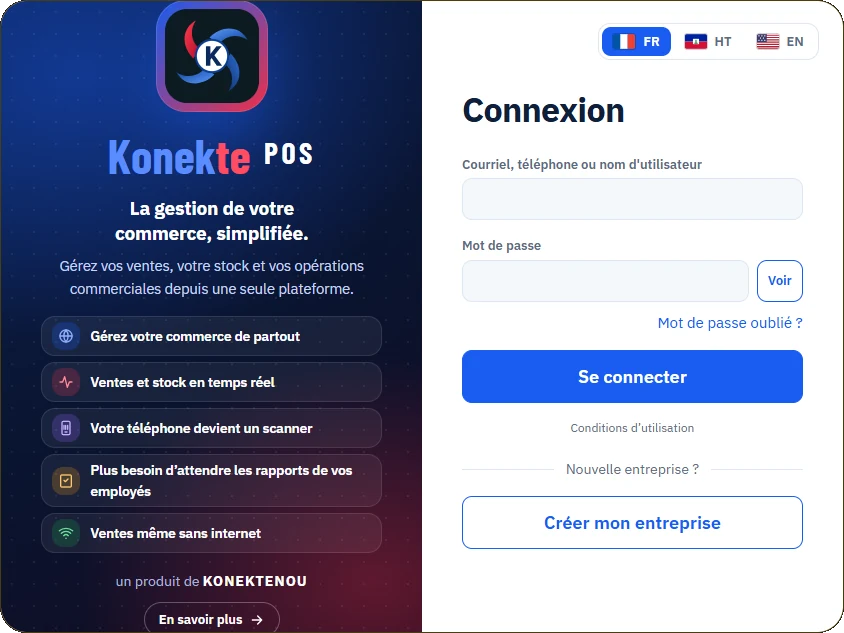
- Manage your business from anywhereThe owner can log in from a computer or tablet from anywhere in the world.
- See sales and stock in real timeSales, transactions, stock and activity happening in the system are visible in real time.
- Your phone becomes a scannerUsers can scan products with their phone or a barcode scanner.
- No more waiting for staff reportsThe owner no longer has to wait for staff to send reports to know how the business is doing.
- Sell even without internetThe business can keep selling even when there is no internet. Sales are sent automatically when the connection returns.
All your business operations in one place
Every scan goes straight to the cart. Cash, card, mobile wallet, transfer or credit, in several currencies at the recorded daily rate.
Purchase orders, receiving, supplier bills and payments.
The customer buys, pays part, comes back later. The full history is kept.
Per-employee permissions, PIN switching, register closing and a log of every action.
Stock counts, low-stock and expiry alerts, cases and units tracked separately.
A register goes down? The sale continues on another one with a code or a QR.
Codes created for products that have none, printed on 8½ × 11 sheets.
Send the receipt by WhatsApp for free, or print it.
You choose the hardware
No Konekte POS terminal to buy. Start with what you already have.
Windows, Mac or Android tablet, with a web browser.
It works as the barcode scanner. Nothing to buy.
For faster scanning at rush hour.
58 or 80 mm. Or send receipts by WhatsApp.
Regular printer (8½ × 11) or label printer.
Opens with the receipt printer.
Three plans, one system
10-day free trial. No contract. Change plans anytime without losing your data.
Basic
For small businesses that want control of sales and stock.
- 1 location, Admin access + 1 register, 2 users
- Products, services, categories and subcategories
- Scan with phone or scanner
- Stock in and out
- Sales, printed or WhatsApp receipts
- Voids and returns by permission
- Multiple payment methods and currencies
- Sales reports and history
- Automatic background accounting
Standard
For supermarkets, hardware stores and growing businesses.
- Everything in Basic, plus:
- 1 location, Admin access + up to 3 registers, 5 users
- Purchasing and supplier orders
- Customer credit, partial payments, balances
- Supplier balances
- Expenses, discounts, returns and refunds
- Register opening and closing
- Employees and permissions
- Sales, stock, purchasing, margin and profit reports
Premium
For multiple locations and full accounting.
- Everything in Standard, plus:
- Up to 3 locations, Admin access + 5 registers, 10 users
- Chart of accounts and double-entry accounting
- Journal, general ledger, trial balance
- Accounts receivable and payable
- Balance sheet and income statement
- Entry audit trail and advanced permissions
- SOONBank reconciliation, cash flow, period closing
- SOONConsolidated multi-location reports
| Compare plans | Basic | Standard | Premium |
|---|---|---|---|
| Locations | 1 | 1 | 3 |
| Admin access + registers | Admin + 1 | Admin + 3 | Admin + 5 |
| Users | 2 | 5 | 10 |
| Automatic background accounting | Yes | Yes | Yes |
| Full accounting screens | No | No | Yes |
| Operations reports | Basic | Advanced | Advanced |
| Financial statements | No | No | Yes |
| Support | Setup help | Setup help | Priority + setup help |
Need another register, more users or another location? Add them as options.
Support with a face
A team that knows small business helps you get started.
Your business ready to sell.
From Excel or your old system.
Cashiers and administrators.
A real person answers.
Frequently asked questions
Do I need a licence for each computer used with Konekte POS?
Yes. Each computer used with Konekte POS must have its own licence. This lets you manage the access and the equipment authorized for your business.
Can I use my phone as a barcode scanner and still receive calls and texts?
Absolutely! Your smartphone can be used as a barcode scanner while keeping its usual functions. You can keep receiving calls and texts as normal.
Is my business and financial data protected?
Yes. Konekte POS uses cloud infrastructure to host and manage your data. Security measures are in place to protect your information and control access to your business account.
Can I access my business information even when I am not on site?
Yes. You can check your business information remotely and follow its activity in real time from a compatible device. An internet connection is required.
What happens if I change computers or my equipment breaks down?
Because your data is hosted in the cloud, it does not depend only on your computer. You can open your business account on another authorized device, with an internet connection and a valid licence.
What happens if my computer has a problem during a sale?
No problem! You can resume the transaction on another authorized register, keeping the sale details and the seller's identity. You can keep working without losing the data already recorded.
What happens when the internet goes down?
You keep selling as usual. Sales are kept on the device and sent automatically when the connection returns.
If I change plans, do I lose my data?
No. All three plans use the same accounting engine. When you move to Premium, your full history of sales, purchases and entries is there.
Do I need to buy a barcode scanner?
No. Your phone works as the scanner for as long as you want. A USB scanner is only an option to go faster.
My products have no barcode. What do I do?
Konekte POS creates a unique code for each product that has none, and you print the labels on a regular printer.
Which payment methods can I record?
Cash, card, mobile wallets, transfers and credit. Each one goes to the right account in your books.
Which languages?
Each user picks a language: English, French or Spanish.
Control your sales. Manage your stock. Know your numbers.
10-day free trial with your computer and your phone.